
$300/hr
TanyaID verified
88 yrsPrivate
Johnsonville, Wellington
Age-Restricted Content
This website contains content restricted to persons 18 years and older under New Zealand law.
By entering, you agree to our Terms and Privacy Policy
For independents
Build a real listing in minutes. Clients find you on the city page they are already browsing and call the number you publish. Nobody stands in the middle.
Live on Muse right now
TanyaID verified

GiselleID verified

MassiiID verified

Serena QueenstownID verified

HeidiID verified

KiwiID verified

London top TRANSGENDERID verified

Penelope

Quinn

Sianmarie

Opal

Reina

Chanel

Alissa

Ivy

Paris

Aria

Anna

Storm

Lilly
Your listing
A full page of your own, with its own web address, indexed by Google. Photos, rates, services, availability, and the buttons that ring your phone.

AvaID verified

SiennaID verified
Every city has its own page
You appear on the page for the city you are in, and on the pages for any city you tour to. Mobile first, because that is where almost everyone is browsing from.
The dashboard
Four controls do most of the work. All of them live on your phone.
Rates
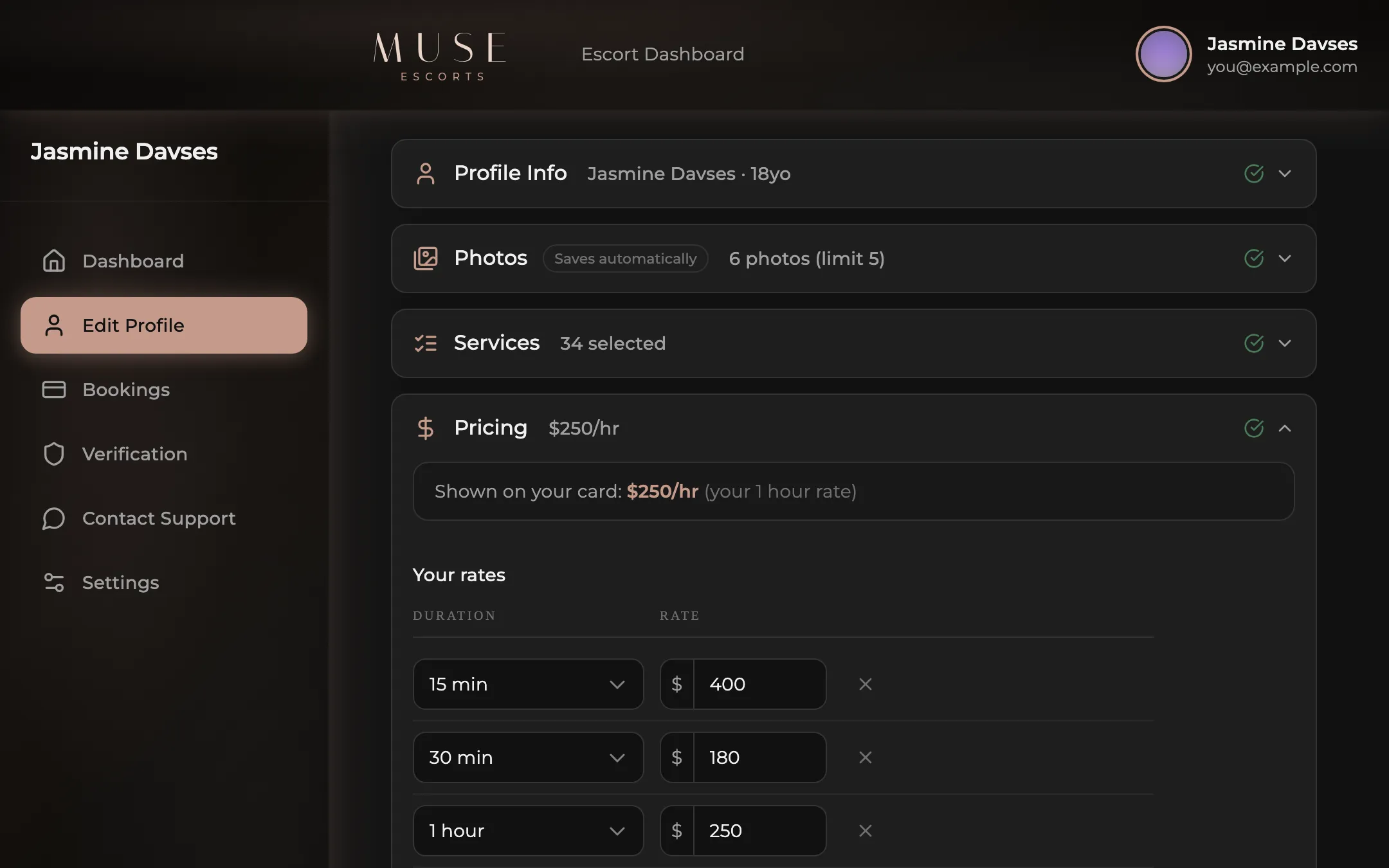
An hourly rate, duration tiers, and any custom service you want to charge for. Change any of it in seconds. It publishes straight to your profile.
Photos
Drag photos into the order you want. The first one becomes your card in the directory. Everything is watermarked when it publishes.
Visibility
Going away, taking a break, or just want to disappear for the afternoon. Flip visibility off and your listing leaves the directory without losing anything.
Availability
Override your weekly schedule and mark yourself available right now. Your card picks up a live badge for as long as it is on.
The real dashboard
These are screenshots of the real dashboard. Photos, services, pricing, availability and touring all live in one place.
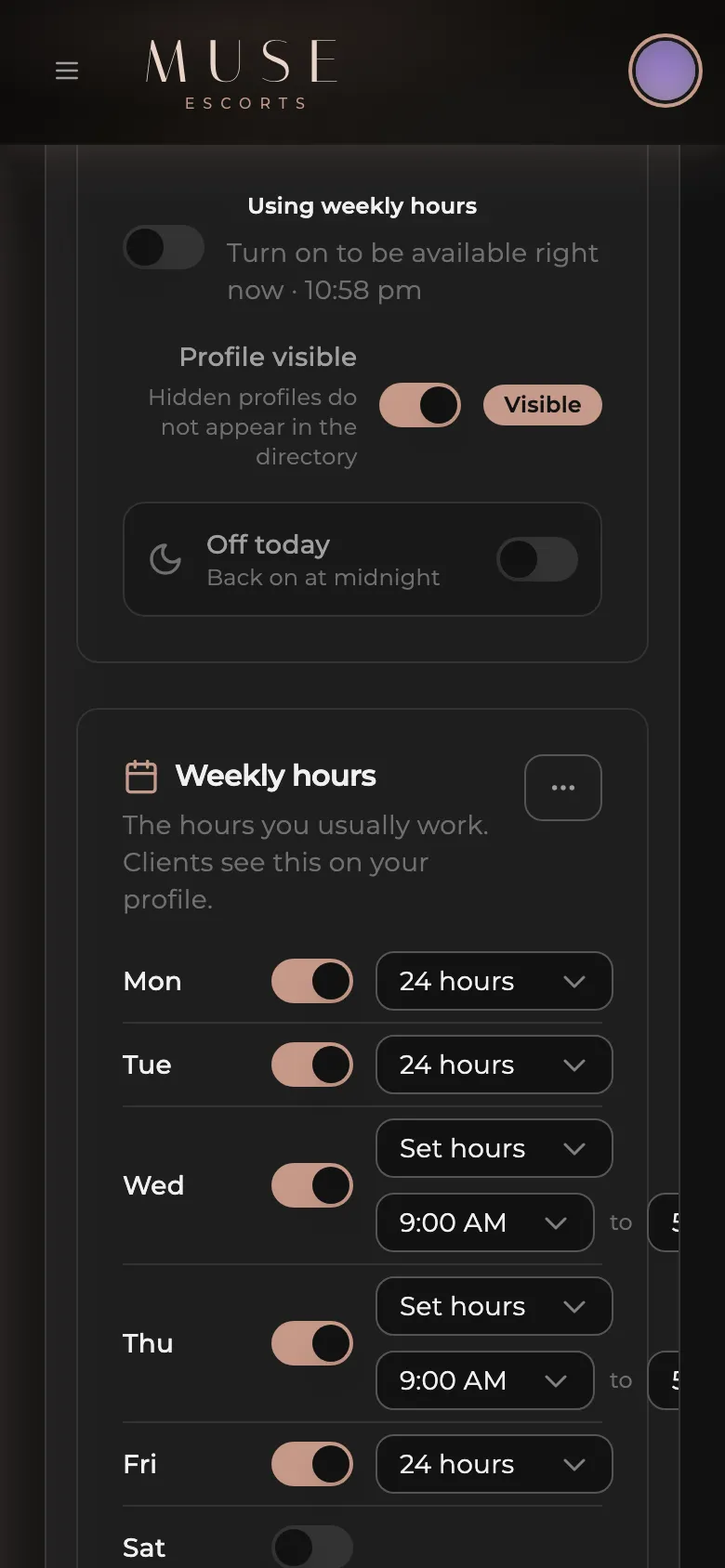
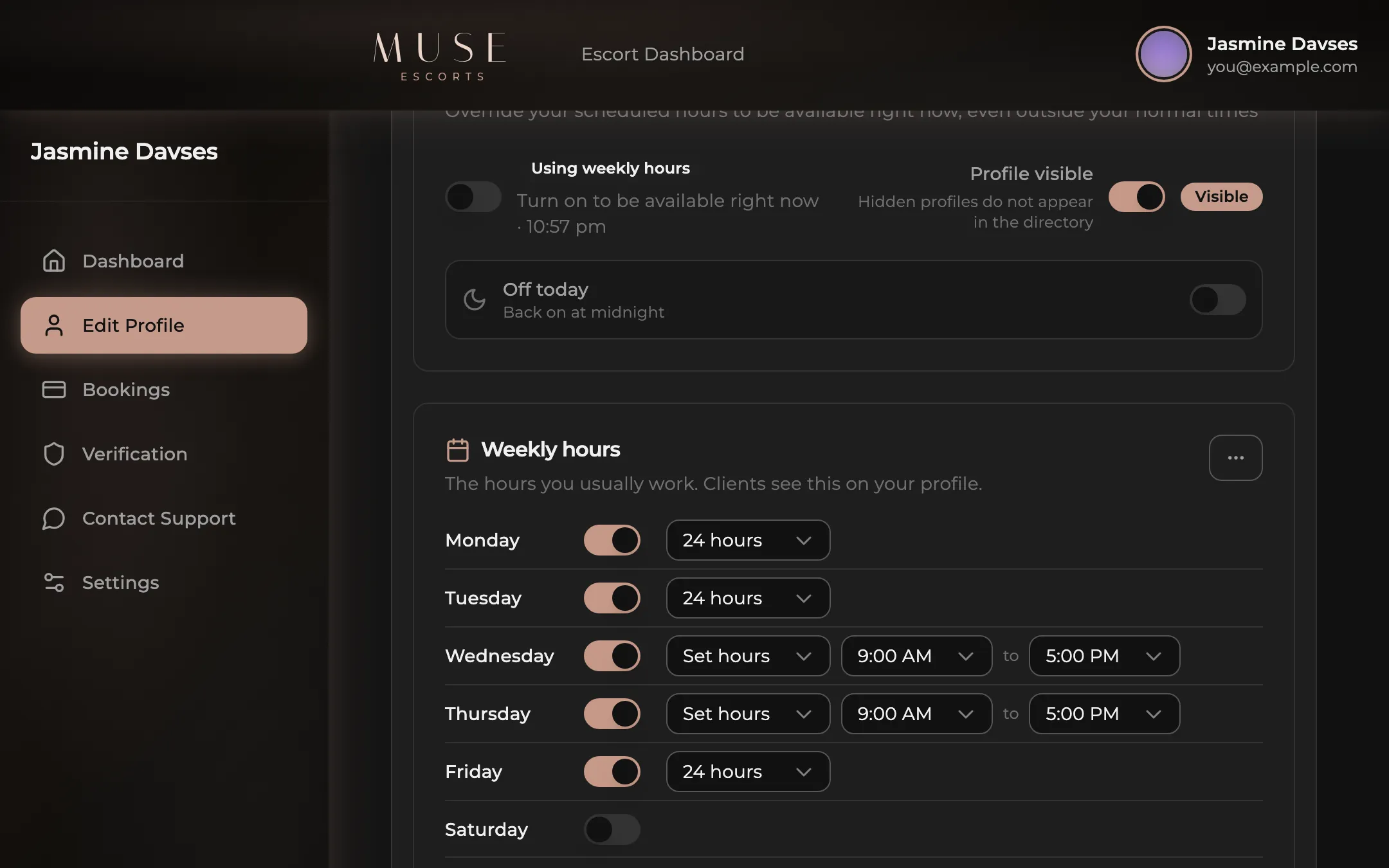
Set your week once, then override it whenever the day changes.
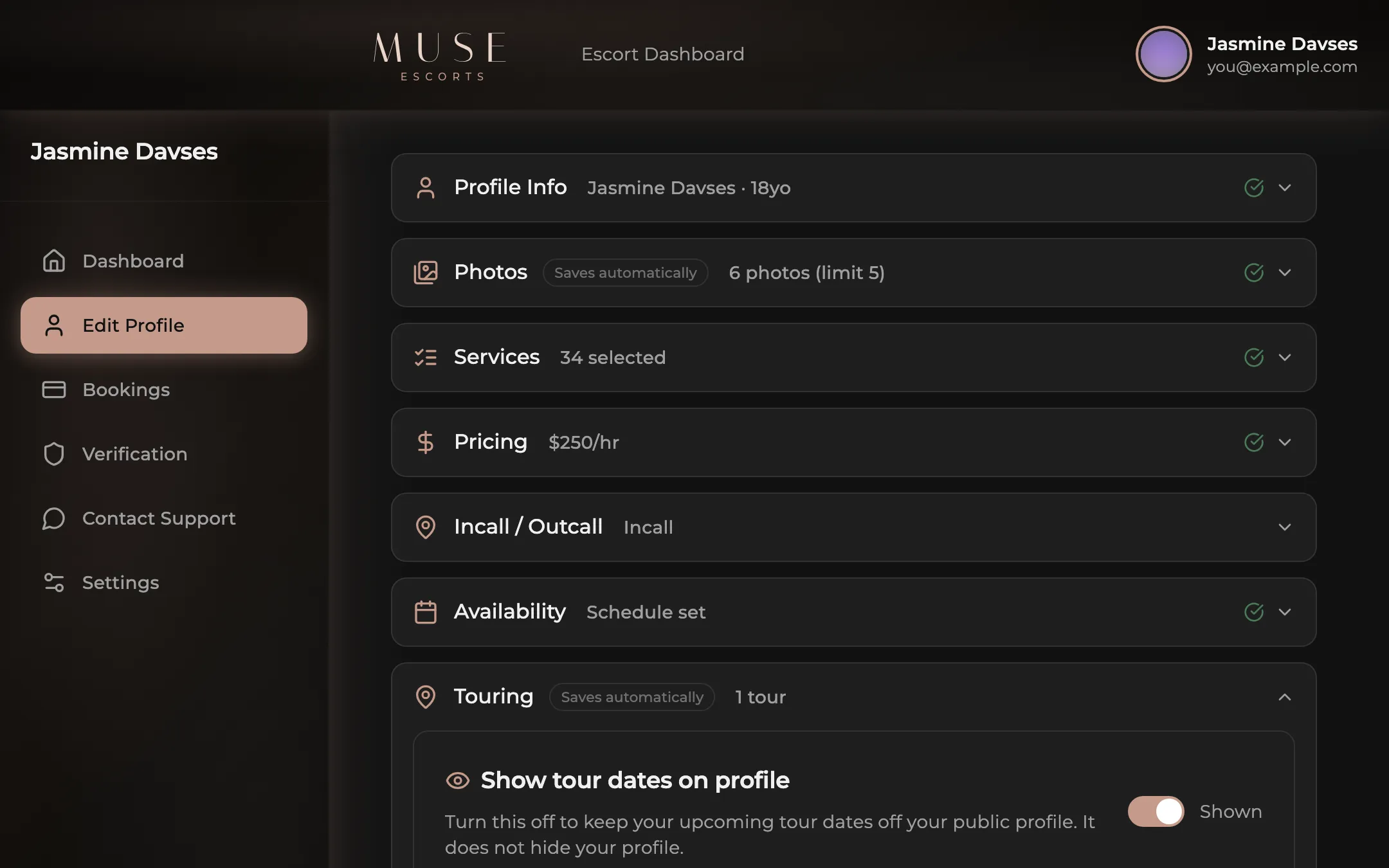
Add touring dates and you appear on the city you are travelling to.
Service flexibility
Incall, outcall, or both. Name the suburbs you travel to and clients in those suburbs see you. Pick your services from a list, or leave one off. Nobody else decides what goes on your profile.
Three steps
You will not need a credit card, nobody rings you with a sales pitch, and you build it yourself.
The name clients see is yours to choose. Your legal name never appears on the listing.
A six digit code confirms the number. That is the number clients will ring.
Add photos and rates, pass the review, and your profile gets its own address in the directory.
AvaID verified
Verification
Clients can filter the whole directory down to verified profiles only, and plenty of them do.
Verification is a government ID scan and a live selfie through an independent ID service. Muse never sees or stores your ID, and your verification photo is never published.
Building in the open
Muse is new and being built in public. Here is what is queued.
The phone or WhatsApp number you choose to publish sits on your profile so clients can reach you directly. Your real identity is never shown, and Muse never sits between you and a client.
Yes. You pick the name on your listing. Your legal name is held privately for account purposes only and never appears anywhere public.
You upload one verification photo, then scan a government ID and take a live selfie through an independent ID service, right on the page. When it passes your profile earns the ID verified badge. Muse never sees or stores your ID, and the verification photo is never published.
Yes. One toggle takes you out of the directory and another puts you back. There is also an off for today switch that resets at midnight. Nothing is deleted when you hide.
No. Muse is advertising only. There is no commission, we never handle your money, and every arrangement is between you and your client.
Archive or delete it from your dashboard whenever you like. Archiving hides it from the directory immediately, deletion removes it. You can also email support@museescorts.co.nz and we reply within 24 hours.
Build it today, hide it whenever you want, and keep every dollar you earn.
Working under an agency? Do not sign up here. Ask your agency to add your profile to their roster instead.