Your agency page
Name, branding, contact, hours, services, and payment methods shown on your public agency page.
Your agency has its own public page on Muse, listing every visible escort on your roster. What that page shows is set on the Agency page item in the dashboard menu. Only the owner can open it; managers and receptionists see an Access Restricted notice instead.
Settings in the menu is separate: it holds your login (email, password, phone), notification emails, and a link to these guides. Nothing there affects your public page.
Open Agency page. The Save button (Save Settings on a computer) sits at the top with the View public page link, so you can edit any section and save once at the end.
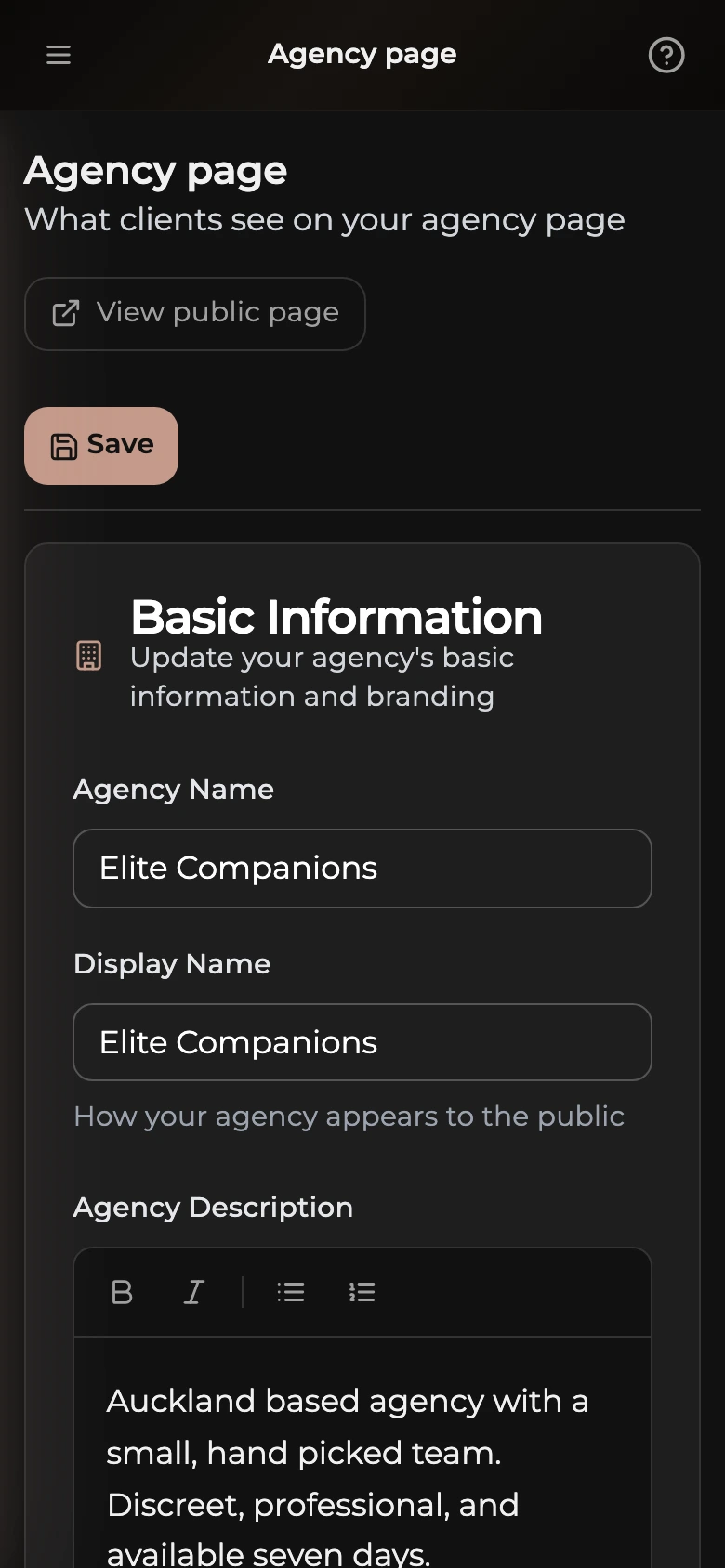
Name and description
Edit Agency Name and Display Name (how your agency shows publicly), then write a short pitch in Agency Description. The toolbar adds bold, italic, or lists; plain text works fine too.
Branding
Upload a square Logo (400 by 400 pixels works well) and a wide Banner Image (1920 by 400 pixels). Add a one-line Tagline that appears under your agency name on the public page.
Location, website, and socials
Set Public Location (for example, Auckland or Wellington). Add a Website, Instagram, X (Twitter), and TikTok if you have them.
Contact details
Contact Phone and Contact Email appear on your agency page only while Show contact details publicly is on. Turn it off to keep them private; each escort's own contact details still show on her profile.
Operating hours
Set a start and end time for each day of the week (New Zealand time). Turn on Closed for any day you do not operate.
Services offered and payment methods
Tick the services your agency provides (Full Service, Massage, Couples, GFE, Incalls, Outcalls, Bi Double, Straight Double) and the payment methods you accept (Cash, Eftpos, Visa, Mastercard, Bank Transfer). Then tap Save at the top.