Available now, hide your profile, come back
The two switches at the top of every page and what they do.
Two switches control how you appear right now: Available now and Profile visible. They sit in the bar at the top of every dashboard page, on the Dashboard home, and on the Availability page. Both take effect the moment you flip them, no Save needed, and neither deletes any of your data.
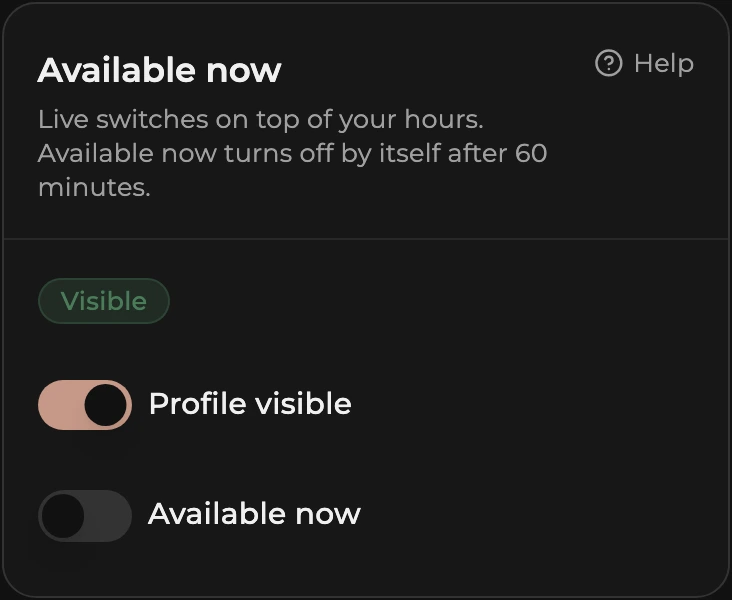
Available now
- Flip Available now on when you are working and ready for enquiries.
- You move into the first group of the directory for that city (see How listings are ordered) and your profile shows you as available now.
- It turns itself off after 60 minutes, so your listing never says you are available after you have stopped for the day. Flip it on again for another 60 minutes, or off early to go back to your weekly hours.
Available now only works while your profile is visible. While the profile is hidden or under review, the Availability page shows a note in place of the switches.
How to hide your profile
- Flip Profile visible off, or tap Hide profile on the status card at the top of Profile, then General.
- Your listing leaves the directory straight away and the status line reads Hidden. Anyone with a direct link to your profile sees nothing.
- Photos, services, rates, hours, and tours are kept exactly as they were.
How to come back
- Flip Profile visible on, or tap Go live on the Publish card.
- Your listing is back in the directory within a few minutes. Nothing to re-enter. An already approved profile does not go through review again.
The status card, state by state
The card at the top of Profile, then General, is titled with the current state and shows the one button that applies:
- Not live yet: a new profile. Finish anything listed (General, Photos, Services, Rates, Publish agreement, each with a Fix link), then tap Submit for review. A Muse admin checks every new profile once.
- Under review: we check it, usually within 24 hours. You can keep editing while you wait; the review cannot be withdrawn.
- Changes requested: the admin asked for changes. The card shows What the admin said and the date. Fix what is listed, then tap Resubmit for review. Your status line reads Hidden: changes requested, see Profile meanwhile.
- Live: clients can see the profile; changes you save show straight away. Button: Hide profile.
- Hidden: you hid it. Button: Go live, instant because it is already approved.
- Hidden by Muse support: the profile was taken down and the card shows the reason. Email support@museescorts.co.nz to get it back online.
If the switch will not go on, the status line tells you why, and the status card on the General page spells it out with the button that fixes it. Hidden: profile incomplete with a count of things to fix means the profile is not complete yet, for example fewer than three photos or no 1 hour rate. Under review means our team is still checking a new profile; the switch unlocks when the review is done, usually within 24 hours.
Which one to use
- Working right now and want enquiries: Available now on.
- Not working today: leave Available now off. Your weekly hours still show, so clients can plan for tomorrow.
- Away for days or weeks: Profile visible off, then on again when you are back.