Import an escort from another listing
Paste a URL and the details fill in for you.
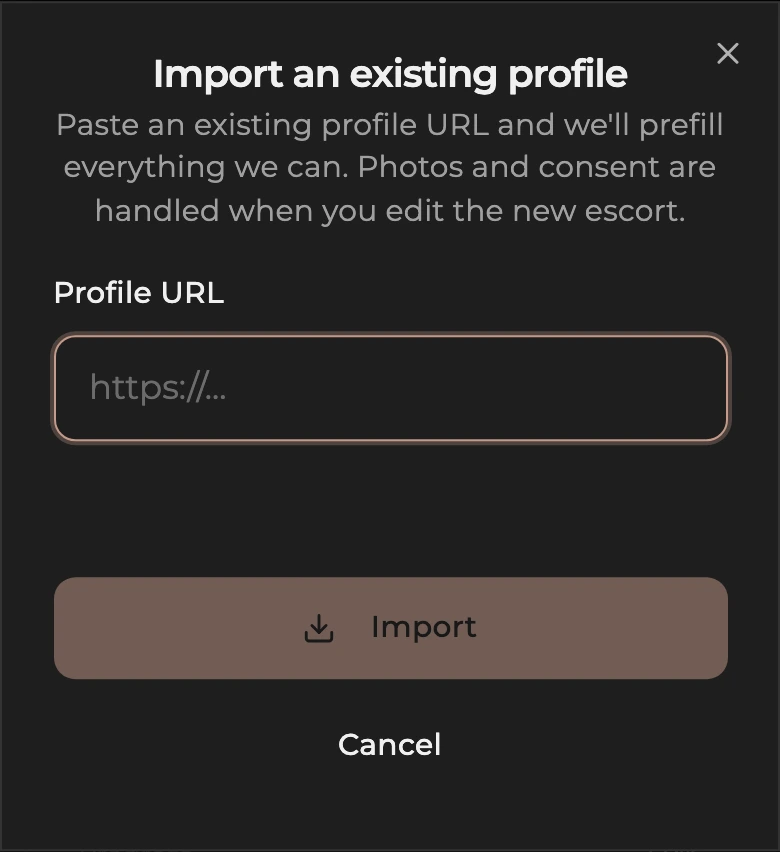
If your escort already has a listing on a supported listing site, you can import the details instead of typing them in by hand. Paste the URL, the details fill in for you, and you land on her General page to review and add photos. The import form lists the supported listing sites.
How to import an escort from another listing
- Open Escorts from the dashboard menu.
- Tap Import Escort.
- Paste the existing listing URL into the field.
- Tap Import and wait. The progress line goes through Loading the page, Reading profile details, Reading rates and availability, Saving to your agency, and Almost there. Usually 20 to 40 seconds. Do not close the tab.
- You land on the new escort's General page once the import finishes.
What gets imported
- Display name and age
- Ethnicity
- Region and suburb
- Bio
- Appearance (height, weight, body type, bust, hair, eyes)
- Service type (full service or massage only)
- 1 hour rate and any other durations
- Weekly hours
The contact phone number on the listing comes through too. Always check the Contact card before making the profile visible.
Photos are never imported. You always upload your own photos so we can be sure they are of the escort being listed and that consent has been given.
How to review and go live
- Read every card on General and fix anything that did not come through correctly.
- Open Photos and upload at least three photos of the escort.
- Check Rates, Services, and Availability match what she actually offers.
- On General, tap Submit for review on the status card at the top of the page. A new profile is reviewed by our team first, usually within 24 hours.
For card-by-card detail see General, Photos, Services, Rates, and Availability.
Limits
Imports are capped at 5 per hour per account. If you hit the cap, wait an hour and try again. The same first-approval gate applies to imports as to manual adds: until your first escort is approved by our team, the Import Escort button stays disabled. See Add a new escort for how that gate works.